ValetFlow help
Using collapsible sections
Some longer ValetFlow pages now use expandable sections so users can focus on the part they need.
Look for the small arrow button in the top-right corner of a section or box. Click it to expand or collapse that area. This is used on longer pages such as Website Settings, dealership details, setup areas and the Roadmap.
On the Roadmap page, sections also show item counts, and Super Admin can use Expand all or Collapse all when reviewing lots of requests.
This does not remove any information; it simply keeps long pages tidier and reduces scrolling.
Product screenshots
Open the demo
See ValetFlow in action
Screenshots from the ValetFlow demo/manual showing how the system looks in day-to-day use.
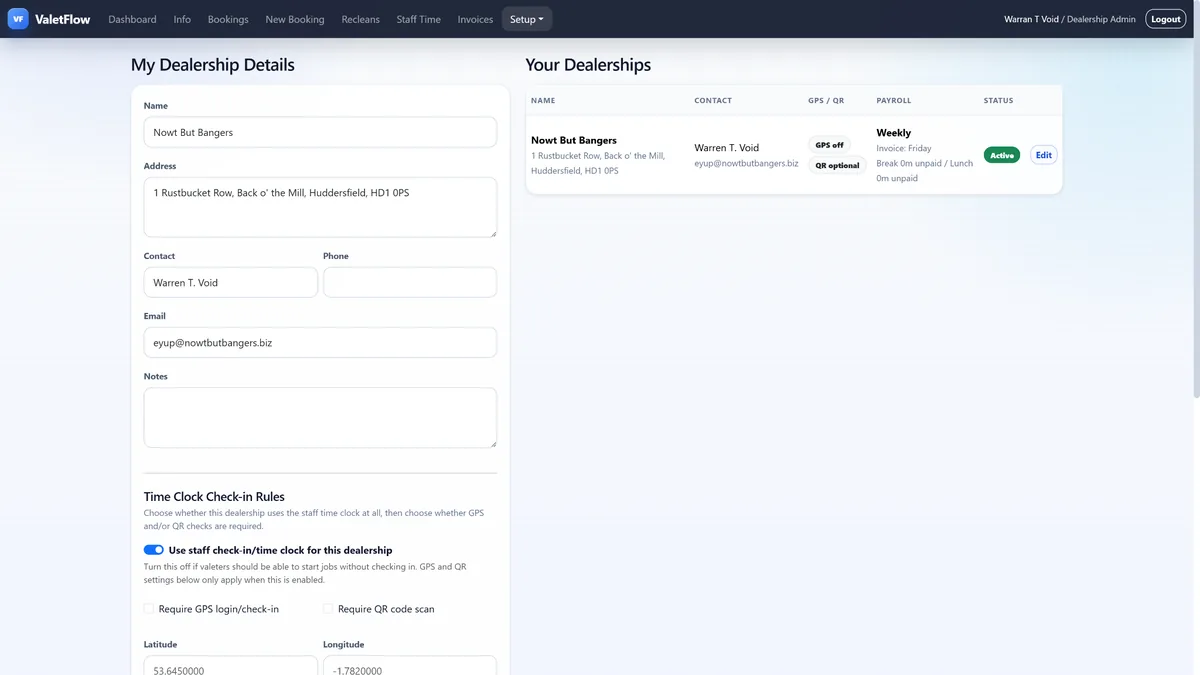
ValetFlow software pages
Public help pages
Booking vehicles into ValetFlow
Digital job sheets
Mobile and PWA staff workflow
Dealership access and setup
Reclean records
Live Job Board
Vehicle Timeline / Audit Trail
Roadmap and Feature Requests
Light/Dark Mode and Colour Themes
SEO and Google Analytics
Sample Data and Demo Setup
Dealership Login Testing
Collapsible Sections